Photo Correction/Enhancement
And Special Edges
|
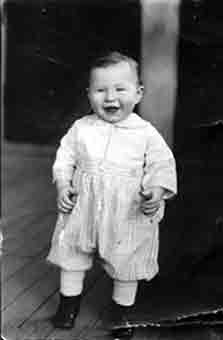
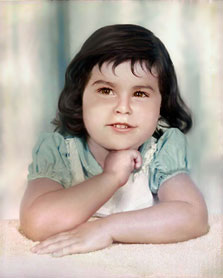
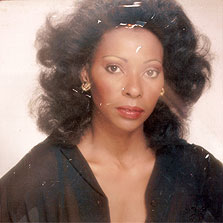
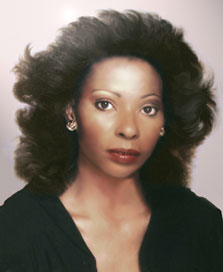
Below shows an example of photos I color corrected, repaired, and/or enhanced. You can see the original image on the left and the result of my changes to the image on the right.
|
|
In the first photo, I cleaned up the tattered areas and gave it a sepia tone and a faded edge.
|
| "Baby" Photo Before | | | | | | | | | | |
"Baby" Photo After |
 | | | | | | | | | | |
 |
|---|
|
In the second image, I scanned the photo, removed the broken glass that was adhered to the old photo, repaired and cleaned up the face, clothing, and background, and adjusted the tone and coloring to the true original.
|
| "Girl" Photo Before | | | | | | | | | | |
"Girl" Photo After |
 | | | | | | | | | | |
 |
|---|
|
In this image, I repaired the tattered photo, heightened the canvas dimensions and added hair on top, cropped the photo, adjusted the color and tone, smoothed the skin, and re-did the subtle background.
|
| "Glamour Shot" Photo Before | | | | | | | | | | |
"Glamour Shot" Photo After |
 | | | | | | | | | | |
 |
|---|
|
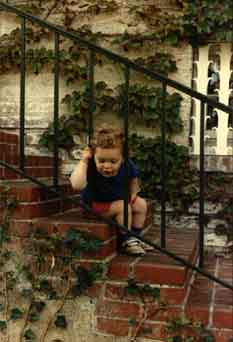
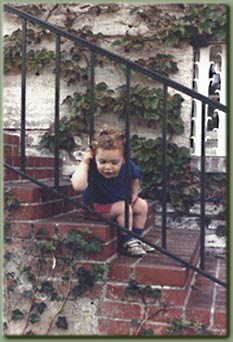
In the image below, I enhanced the color, sharpened the image, added a background border and a slight drop shadow edge.
|
| "Boy" Photo Before | | | | | | | | | | |
"Boy" Photo After |
 | | | | | | | | | | |
 |
|---|
|
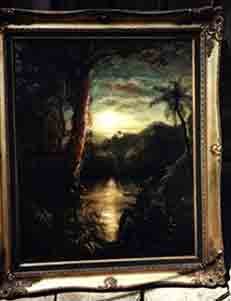
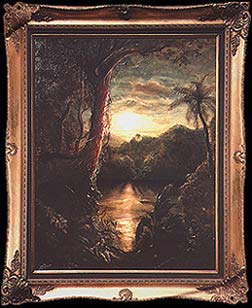
The last image is a scan of an oil painting I painted a few years ago, which, in preparation for my electronic portfolio I color corrected, adjusted the clarity by sharpening, changed the perspective to face on, and continued the frame that was cut off by the photographer.
|
| "Tropical Moon" Before | | |
"Tropical Moon" After |
 | |  |
 |
Back to:
top of this page

Rose Illustration |
Fine Art & Illustration |
Computer Graphics
Web Page Design |
The Artist |
More Info |
E-Mail |
Home
|